
Most major Medicare Advantage plans let you order OTC (Over-the-Counter) benefit items online through your member portal or a dedicated OTC store website, with free shipping directly to your home. The process is straightforward: you log in, browse a catalog of pre-approved items, add what you want to your cart, and check out using your OTC benefit balance. You do not need to enter a credit card as long as your total stays within your available balance. Orders typically arrive within 5 to 10 business days.
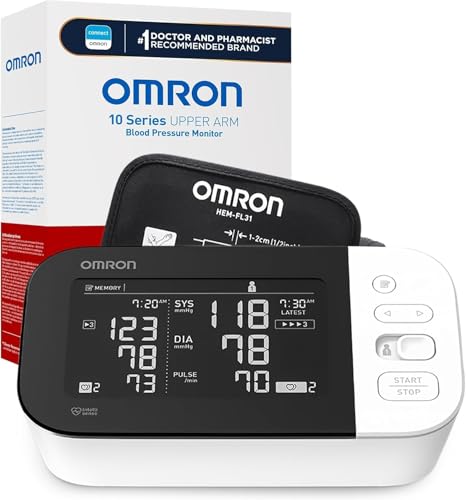
Omron Blood Pressure Monitor
$50-80 · Often covered by OTC benefit
Why Online Ordering Is Often Easier Than Shopping In-Store
Online ordering through your plan's OTC portal has several advantages over going to a retail store. The biggest one is that every item listed in the online catalog is already confirmed as eligible for your plan. You never have to wonder whether something will be declined at checkout, and you do not have to download an app to scan barcodes before putting items in your cart.
Other benefits of ordering online include:
- Larger selection: The online catalog often includes more items than what a physical store stocks in your local area.
- No need to leave home: For members with limited mobility or transportation challenges, home delivery is a significant advantage.
- Easy balance tracking: The online portal shows your remaining balance as you shop, so you always know how much you have left to spend.
- Confirmation before checkout: You can see exactly what you are ordering and what it will cost before placing the order.
- Free shipping: Most plans cover the shipping cost for OTC orders, so there is no additional expense.
Step-by-Step: How to Place an Online OTC Order
The exact steps vary slightly by plan, but the general process works the same way across most major Medicare Advantage carriers:
- Log into your member portal. Go to your plan's website and sign in with your member ID and password. If you have not set up an online account yet, you can register using your member ID and date of birth.
- Find the OTC benefit section. Look for a link or tab labeled "OTC Benefit," "OTC Store," "Order OTC Items," "Flex Card," or "Extra Benefits." It may be under a "Benefits" menu.
- Browse the catalog. The online catalog lets you browse by category (vitamins, pain relief, health monitors, etc.) or search for a specific item by name.
- Add items to your cart. Select the items you want and add them to your cart. The portal will track your subtotal against your available balance as you shop.
- Review your cart and check out. Before placing the order, review the items in your cart. Confirm your shipping address and verify the total is within your balance.
- Place the order. Confirm your order. Your OTC benefit balance will be charged and no other payment method is needed for items within your allowance.
- Track your shipment. After ordering, you will typically receive a confirmation email or message in your member portal with tracking information. Most orders arrive within 5 to 10 business days.
Humana's OTC Online Ordering System
Humana Medicare Advantage members can access OTC ordering through the Humana member portal at Humana.com. After logging in, navigate to "My Benefits" and look for the OTC or Extra Benefits section. Humana partners with a fulfillment company to manage OTC orders, and the catalog is refreshed each plan year. Some Humana plans also allow ordering by phone if you prefer not to order online. Call the Member Services number on the back of your card and ask to place an OTC order over the phone.
UnitedHealthcare's OTC Online Ordering System
UnitedHealthcare (UHC) AARP Medicare Advantage members access OTC benefits through myuhc.com. Log in and navigate to the Benefits section, where you will find your OTC benefit listed alongside other supplemental benefits. UHC uses a dedicated OTC fulfillment portal that is accessible directly from the member portal. Members can also call the OTC order line listed on their benefit documentation to place orders by phone. UHC's OTC catalog is typically one of the more extensive ones available, covering hundreds of health and wellness items.
Aetna's OTC Online Ordering System
Aetna Medicare Advantage members can access OTC ordering through the Aetna member portal at aetna.com. After logging in, look for the "Benefits" tab and find the OTC benefit section. Aetna members with an OTC benefit are often directed to a separate OTC ordering website linked from within the member portal. Aetna also offers phone ordering for members who prefer that method. Aetna's OTC catalog includes a range of health monitoring products, vitamins, personal care items, and household health supplies.
What to Do If an Item Is Out of Stock Online
Online OTC catalogs can occasionally show items as out of stock, particularly near the end of a quarter when many members are trying to use up their remaining balances. If an item you want is unavailable online, you have a few options:
- Check back in a few days. Stock levels are updated regularly and an item that is out of stock today may be available again within a week.
- Call Member Services. A representative may be able to tell you when the item will be restocked or suggest a similar covered alternative.
- Try an approved retail store. If the item is also sold at Walmart, CVS, or Walgreens and is covered under your plan, you may be able to buy it in-store using your OTC card.
- Choose a substitute item. Browse the catalog for a similar product in the same category. There are often multiple brands or sizes that serve the same purpose and are in stock.
Tips for Getting the Most From Online OTC Orders
A few habits will help you use the online ordering option effectively throughout the year. First, place your order at least 10 to 14 days before your benefit reset date to make sure your order ships and your balance is used before it expires. Most OTC orders are charged to your balance when placed, not when they arrive, so you will not lose the benefit even if delivery takes a few days past the reset. Second, keep a running list of health items you regularly need, such as vitamins, compression socks, or pain relief supplies, so you can order quickly when you have remaining balance to use. Third, check the catalog at the start of each new plan year since covered items and brands can change annually.
Official Medicare Resources

