
There are four reliable ways to check your Medicare Advantage OTC (Over-the-Counter) benefit balance: call Member Services using the number on the back of your card, log into your plan's member portal or app, check a balance kiosk at select retail stores, or review your most recent Explanation of Benefits (EOB) statement. Knowing your balance before you shop helps you plan your purchases and make sure you do not leave money on the table before your benefit resets.
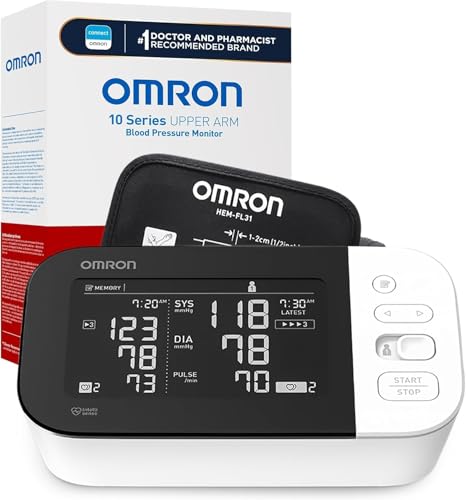
Omron Blood Pressure Monitor
$50-80 · Often covered by OTC benefit
Method 1: Call Member Services
The fastest option for most people is to call the Member Services number printed on the back of your OTC card or insurance card. A representative can tell you your current balance, when your benefit resets, and how much you have spent so far in the current period. This usually takes less than five minutes and does not require any internet access.
When you call, have your member ID number ready. The representative may also be able to answer questions about which items are covered and how to use your card online or in-store.
Method 2: Log Into Your Member Portal or App
Most major Medicare Advantage plans have a member website and a mobile app where you can check your OTC balance at any time. Once you log in, look for a section called "Benefits," "My Benefits," or "OTC Benefit." Your current balance and the next reset date are usually displayed on this page.
If you have not yet created an online account, you can typically register on your plan's website using your member ID number and date of birth. Setting up an account takes about 10 minutes and gives you easy access to your balance going forward.
Method 3: Check a Balance Kiosk In-Store
Some retailers that accept OTC benefit cards have balance-checking kiosks inside the store, usually near the pharmacy or customer service area. CVS Health Hubs and some Walgreens locations offer this option. You insert or swipe your card at the kiosk and your remaining balance appears on screen.
This is a convenient option if you are already at the store and want to know your balance before you start shopping. Not every store location has a kiosk, so it is a good idea to have a backup method available.
Method 4: Review Your Explanation of Benefits (EOB)
Your plan sends you an Explanation of Benefits statement, either by mail or electronically, that summarizes your benefit usage. The EOB typically shows your OTC benefit allowance, how much you have used, and how much remains. This is not a real-time balance, so if you have made purchases since the last EOB was generated, the balance shown may be slightly out of date. For the most current number, use the member portal or call Member Services.
Plan-Specific Balance Check Instructions
The steps to check your balance vary slightly depending on which plan you have. Here are specific instructions for three of the largest Medicare Advantage carriers:
- Humana members: Visit Humana.com and log into your member account. Navigate to "My Benefits" and select the OTC or Flex Card section. Alternatively, call Humana Member Services at 1-800-457-4708 to get your balance over the phone.
- UnitedHealthcare AARP members: Log into myuhc.com with your member credentials. Look for the "Benefits" section and find your OTC benefit or flex card balance. You can also call the number on the back of your card for an automated or live balance check.
- Aetna members: Log into the Aetna member portal at aetna.com. Navigate to the "Benefits" tab and select the OTC or supplemental benefits section. Aetna members with an OTC benefit may also have access to a separate OTC ordering site linked from the member portal.
If your plan is not listed above, the process is similar: log into your plan's website, look for a benefits section, and find your OTC allowance details there.
What to Do If Your Balance Looks Wrong
If the balance displayed in your member portal seems lower than it should be, or if you see a charge you do not recognize, call Member Services right away. A representative can pull up your transaction history and show you exactly how your balance has been spent. Common reasons for an unexpected low balance include:
- A purchase you forgot about from earlier in the quarter
- An online OTC order that has not yet shipped but was already deducted
- A balance that already reset and is now showing a fresh allowance amount
If you believe there is a genuine error, ask the representative to file a dispute on your behalf and note the date and reference number for your call.
How Often Should You Check Your Balance?
For most people, checking once a month is enough to stay on top of the benefit. If your plan resets quarterly, a good habit is to check your balance at the start of each quarter and again about two weeks before the reset date. That two-week warning gives you enough time to spend any remaining funds before they expire. Remember: unused balances do not roll over, so the goal is to spend as close to your full allowance as possible each period.
Official Medicare Resources
